Guess The Flag
About Guess The Flag
Guess The Flag is a free online new game you can play right here — no download, no install, no account. Click the game area and it loads in seconds, right in this tab.
Most games use the arrow keys or WASD plus the mouse — everything runs on keyboard and mouse. The game is a lightweight HTML5 title, so it loads fast and plays smoothly on school Chromebooks, classroom computers, old laptops and desktop PCs alike.
Tip: Check the in-game instructions screen first — new games often hide their best mechanic there. When you are done, pick another free game below — there are 600+ more, all instant play.
How to Play Guess The Flag
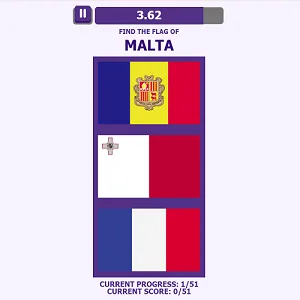
- Look at the flag shown on screen and pick the matching country from the options.
- Answer as fast as you can — speed gives bonus points.
- Wrong answers cost you points or lives depending on the mode.
- Clear the quiz round and advance to harder flag sets.
Tips to Win
- Learn the flag families: pan-African colors, Nordic crosses and Slavic tricolors narrow guesses fast.
- When unsure, eliminate flags from countries you know are in the wrong continent first.
- Stars and symbols often reference the country itself — count the stars when in doubt.
Guess The Flag – FAQ
Is Guess The Flag free to play?
Yes. Guess The Flag is completely free at Minecraft Free Online — no download, no install and no account. The game loads directly in your browser.
Can I play Guess The Flag on a school Chromebook?
Yes. It is a lightweight HTML5 browser game, so it runs on school Chromebooks and classroom computers as well as regular PCs.
How do you play Guess The Flag?
Look at the flag shown on screen and pick the matching country from the options. Then answer as fast as you can — speed gives bonus points. The full step-by-step walkthrough is right below the game.
You May Like

About Privacy Policy Terms of Service DMCA Contact
Hot Games Driving Games Shooting Games Puzzle Games Multiplayer Games 2 Player Games Running Games Sports Games Adventure Games Action Games
© 2026 minecraft-free.online